


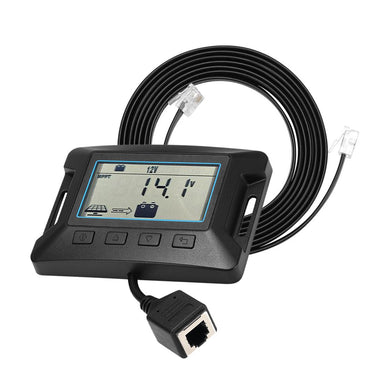


KickAss Remote LCD Display For MPPT Solar Controllers
Pickup available at Acacia Ridge Store
Usually ready in 1 hour
3 Year Warranty
This product is covered by an Australian warranty and easy in-store or online returns.
Monitor your KickAss MPPT solar controller remotely. Connect via the 2 meter communication cable, and manage your system conveniently from any location.
BUNDLE & SAVE!


SPECIFICATIONS
Technical Details
| Standby Power | 0.4W max |
| Operating Temperature | -35°C ~ +45°C | -31°F ~ +113°F |
| Communication Method | RS485 |
| Altitude | ≤ 3000m |
| Product Dimensions | 100mm x 70mm x 17mm |
| Certifications | CE, RoHS |
User Manual & Support Docs
| KickAss Remote LCD Display For MPPT Solar Controllers |
Detailed Description
Specially designed for KickAss MPPT systems:
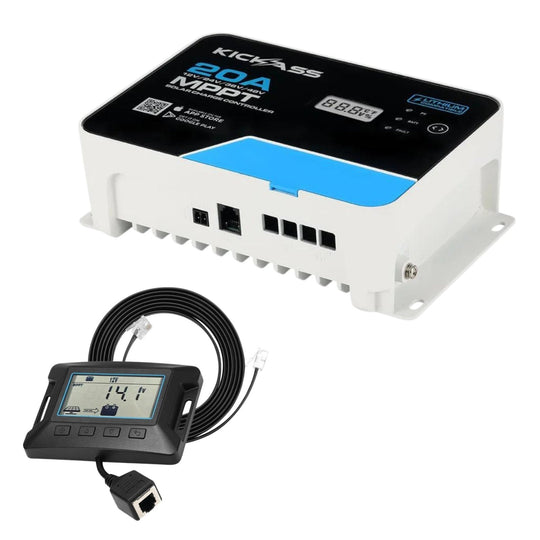
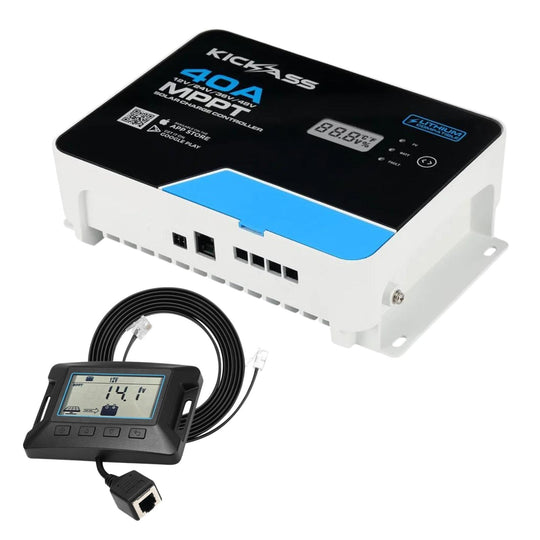
This remote control LCD screen has been specifically designed to pair with the KickAss 20A and 40A solar charge controllers. The targeted functionality means the features and metrics it displays are highly relevant to solar systems, and the design is intuitive and easy to use.
Note that this unit is not compatible with any other solar controllers.
Easy to mount
The device can be flush-mounted or surface-mounted in your chosen location using the four Phillips head screws included with the product.
Simple to use
Settings and parameters can all be adjusted using four buttons on the unit. It’s simple and intuitive.
Plug & Play Setup
Simply plug the remote control LCD display into the 20A or 40A MPPT controller and you're ready to configure and monitor your device.
CUSTOMER REVIEWS
Frequently Asked Questions
What system voltages and current ratings does the KickAss Remote LCD Display support with MPPT solar controllers?
This means you can monitor and control a wide range of solar systems with your remote display, ensuring flexibility for different battery bank sizes and solar array configurations. It works seamlessly with KickAss controllers designed for various off-grid setups.
How do I install and connect the KickAss Remote LCD Display to my MPPT solar controller?
Installation is straightforward for anyone with basic electrical skills, and the remote display allows you to conveniently monitor your solar controller’s performance from a distance. Always follow the wiring diagrams and safety instructions to ensure optimal operation and protection.
Can I configure battery settings using the KickAss Remote LCD Display?
This feature gives you full control over your battery charging profile without needing to access the controller physically. It simplifies system customisation and helps maximise battery life and efficiency, especially for lithium battery systems with advanced settings.
What safety features does the KickAss Remote LCD Display and MPPT controller include to protect my system?
These safety designs ensure your solar power system operates reliably and safely in rugged off-grid environments. The remote display helps you monitor system status continuously, allowing you to catch potential issues early and maintain peace of mind.
How efficient is the MPPT solar controller when used with the KickAss Remote LCD Display?
This high efficiency means your solar panels’ energy is optimally converted and managed, maximising power harvest and battery charging speed. The remote display provides real-time feedback on these efficiencies so you can monitor system performance closely.
What are the operating temperature and environmental conditions for the KickAss Remote LCD Display?
This wide operating range makes it suitable for harsh Australian outback conditions and remote locations. Its low power consumption also ensures minimal drain on your battery system when monitoring remotely.
Can the KickAss Remote LCD Display be used for parallel operation of multiple MPPT controllers?
Parallel operation increases your system’s total charging capacity and flexibility. The remote display simplifies managing these setups by providing a central interface to monitor and configure all connected controllers.
How does the KickAss Remote LCD Display enhance user interaction compared to the integrated controller display?
This convenience lets you place the display in a more accessible location, improving usability and system oversight. It’s ideal for installations where the controller is mounted in hard-to-reach areas, enhancing your overall off-grid solar experience.


